Blade inspection findings arrived in the vendor's damage taxonomy, the platform classified the same damage its own way, and the manufacturer required a third. Every mismatch surfaced late, after the data had already reached customer success or engineering.
02 · Built
The check moves to the front
A dataset is validated against the spec before it reaches anyone, and the conversion runs automatically across all three taxonomies. A finding with no clean match is held for manual review rather than guessed.
03 · Result
A diagnosis, not a figure
It is in production use internally, and this page publishes no usage figure.
The tool in 20 seconds
What the work turned up
The spec was wrong, and the record says where
A required field demoted to conditional, the required field count corrected, a second dataset with a different column structure, and a formula that passed testing and failed on real data.
Real data found the defects, not review
The first defects surfaced through contact with real data rather than through review, and several were one failure repeated: the tool assumed input data was more uniform than it is.
Some failures looked right
Later defects produced output that looked plausible: it rendered as a normal spreadsheet, and none raised an error.
01 · The problem
Three vocabularies for the same damage
Every mismatch between the three surfaced late, after the data had already reached customer success or engineering, and someone had to work out which column meant what before anything could proceed.
Wind turbine blade inspection findings arrived from an inspection vendor in the vendor's own damage taxonomy, which did not reliably match the way the platform classified the same damage. The manufacturer receiving the report required a third nomenclature again, because manufacturers do not categorize the same physical damage the same way.
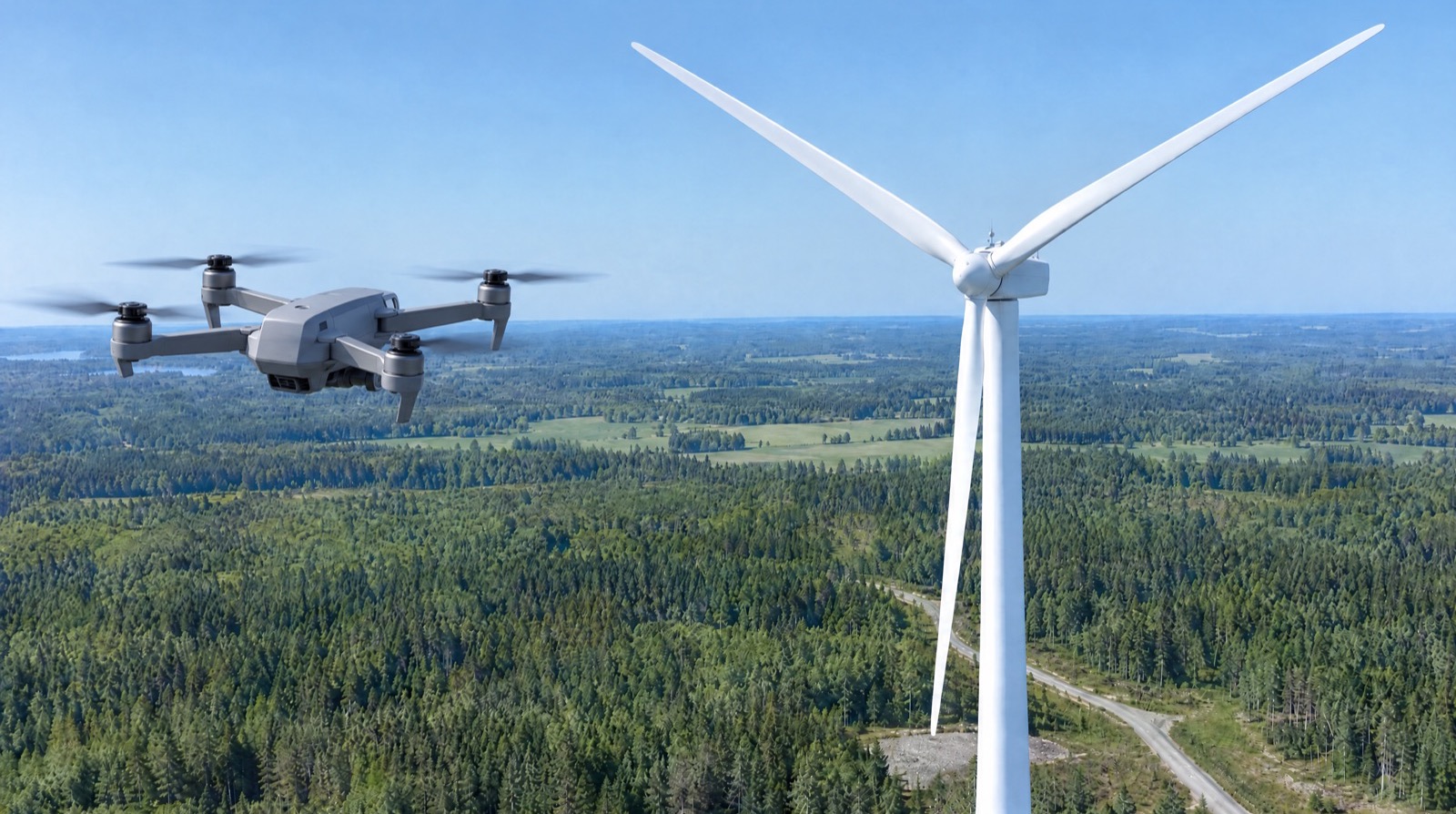
The Anomaly Validator takes the findings from drone inspections of wind turbine blades and converts their damage categories between defect catalogs.02 · What it does
Validation before anyone sees the data
The validator moves that check to the front.
An inspection dataset is validated against the spec before it reaches anyone, and the damage taxonomy conversion runs automatically rather than waiting on engineering review.
It is in production use internally. It was built with Claude.
03 · The conversion
Conversion is a decision with exceptions
The mapping is not a lookup.
It runs in two hops, [vendor category A] → [platform category 2] → [manufacturer code X], and it is uneven in both directions: several vendor categories collapse onto a single platform category, and one platform category can open into more than one manufacturer code depending on the component involved. Severity is an ordinal scale and does not convert one for one. Some source categories have no clean target at all, and those are held for manual review rather than guessed, which is why conversion is a decision with exceptions rather than a table. The bracketed placeholders are invented. The real category names, codes and severity values are client and manufacturer property and are withheld here on purpose.
One anomaly, three vocabularies. It arrives in the inspection vendor's terms (the sphere), is converted into the platform's (the cube), then into the manufacturer's (the pyramid). Each funnel is a conversion step, so a finding changes shape twice before delivery. A finding with no clean match is set aside for manual review rather than forced through, like the sphere on the floor.04 · Outcome
Where the specification did not hold
The documents record where the specification did not hold, and where a build shipped output that looked right.
It is in production use internally, and this page publishes no usage figure. The evidence is the document set.
The specification itself was wrong in four places, and the release notes record each one: a required field demoted to conditional in v1.2, the required field count corrected from 19 to 18, a second dataset that used a different column structure than the spec assumed, and a formula that passed testing and failed on real data.
Defects that came from real data
Thirteen defects were found and fixed between v2.2 and v3.1.4, each indexed in the release notes against its root cause. Four of the first eight are one failure repeated: the tool assumed input data was more uniform than it is. Every one of the first eight surfaced through contact with real data rather than through review, which is the argument for validating against genuine delivered files rather than reconstructed examples.
Defects that looked right
The later five sharpen a different point, which is silence. Three of them produced output that looked plausible: a misrendered header, an empty cell under a correct header, and a column sized for its neighbour all render as a normal spreadsheet, and none raises an error. In the starkest, the value is read, matched and validated correctly and only the write misses, so the export cannot be told apart from a dataset that never supplied that column.
That is the case for publishing the documents.
05 · Design process
Designed for the handoff
The validator has one user today: me.
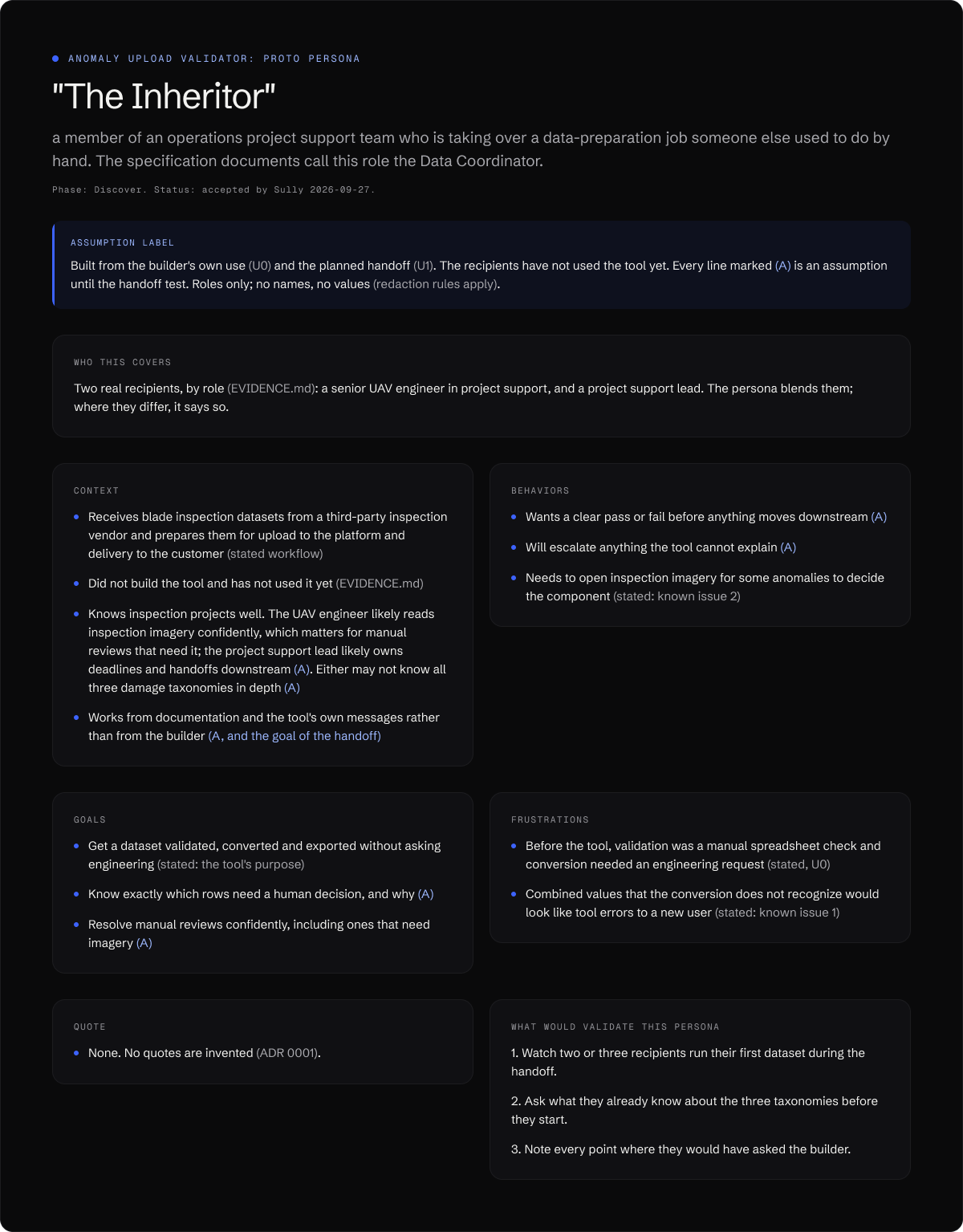
I run every dataset through it, and I am handing it to an operations project support team after the next one or two iterations. These design artifacts are built for that handoff: who takes the tool over, where they will need help, and how their first session will be tested. Anything resting on assumption carries an (A) label until that test replaces it. They were built from the published documents below; the running tool was not opened, so no value from it appears here.
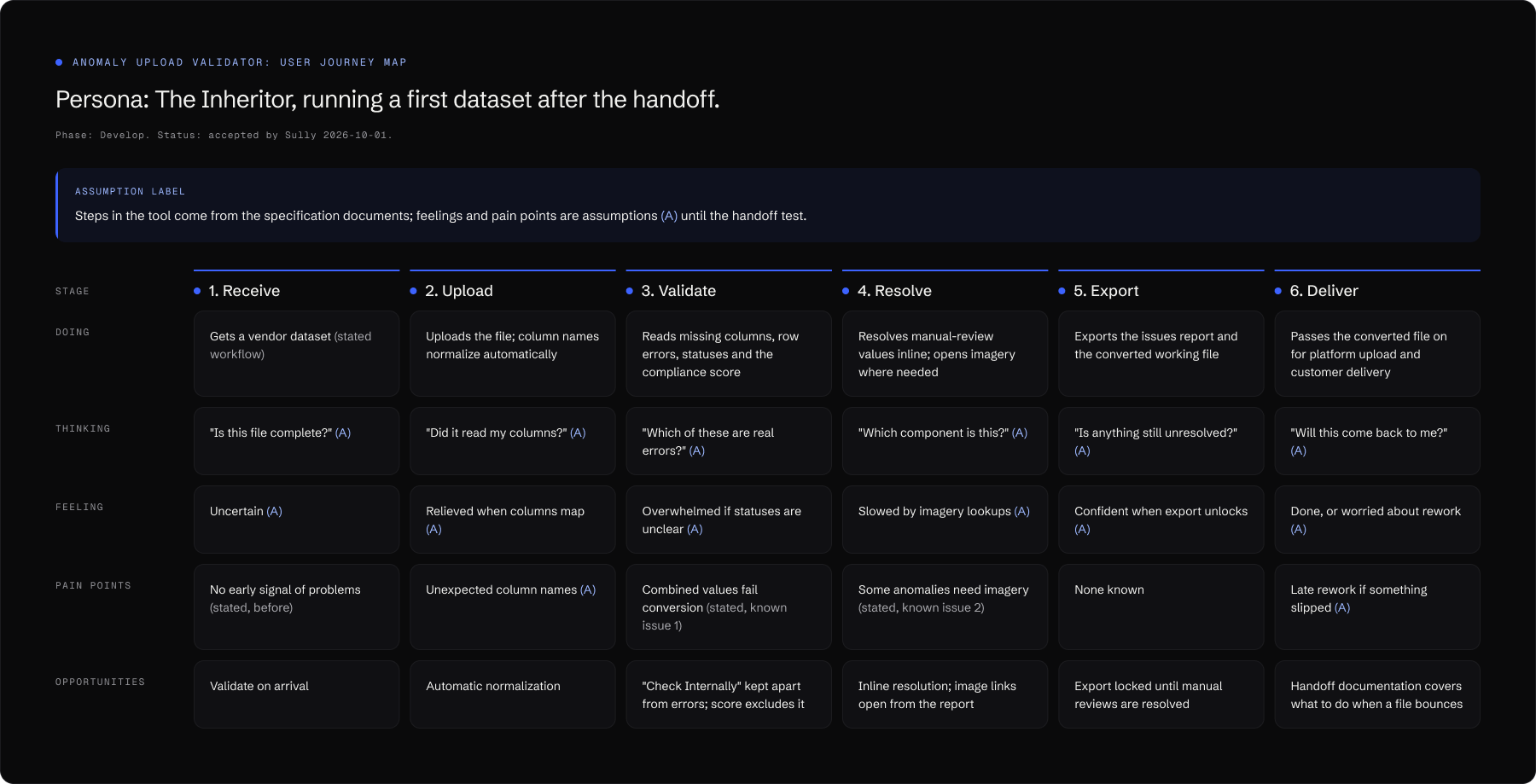
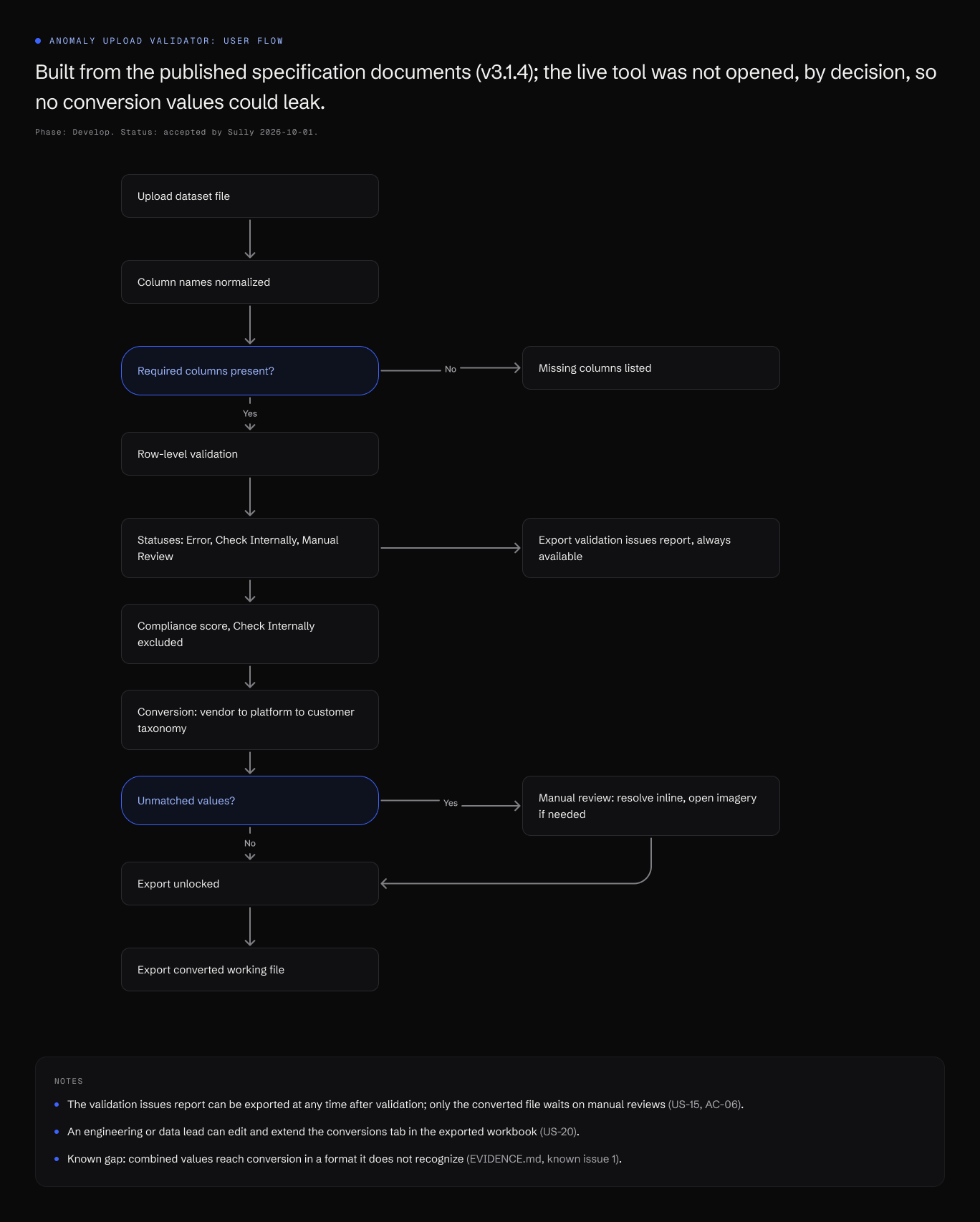
Proto persona. The Inheritor, the person taking the tool over, blended from the two real recipients by role. Every line marked (A) is an assumption until the handoff test.Journey map. A first dataset after the handoff, from receiving a file to delivering it. The stated pain points are the two known issues the next iterations fix: combined values that fail conversion, and anomalies that need imagery to classify. Open the image for full size.User flow, built from the published specification. Export of the converted file stays locked until every manual review is resolved; the issues report is available at any time.06 · Specification
How it was specified
The tool is internal, so the build itself is not something I can show. The documentation is, and it is the more useful half anyway.
This document set describes v3.1.4, September 2026. It is current with the build.
What is redacted, and why
The conversion tables are redacted. That crosswalk belongs to the client and the manufacturer rather than to me, so it is marked where it was removed rather than quietly dropped. The shape of the conversion problem is publishable and the values are not, which is the line this page holds. Everything else is the document as written.
The work decomposed into shippable pieces: 27 stories across 8 epics covering validation, taxonomy conversion, manual review, and export of blade inspection datasets.
As a Data Coordinator, I want the Export Converted XLSX button to be locked until all Manual Review flags are resolved, so that I can't accidentally export a file with unresolved values.
AC-06: Export Validation Report CSV is always available after validation — not blocked by Manual Reviews.
User stories, US-15, EP-05 Manual Review Resolution
Every field, where it comes from, and how damage categories map across the inspection vendor's taxonomy, the platform's taxonomy, and the manufacturer's delivery nomenclature.
Element formula | Component & " - " & Material | Component & " - " & Element | LEN(Material)>0 uses Material, else Element